What Beeped?

My computer has 10 open desktops on 2 monitors. Often some hidden or even visible app beeps for some reason, and I cannot tell where the beep came from. What Beeped? solves this problem.
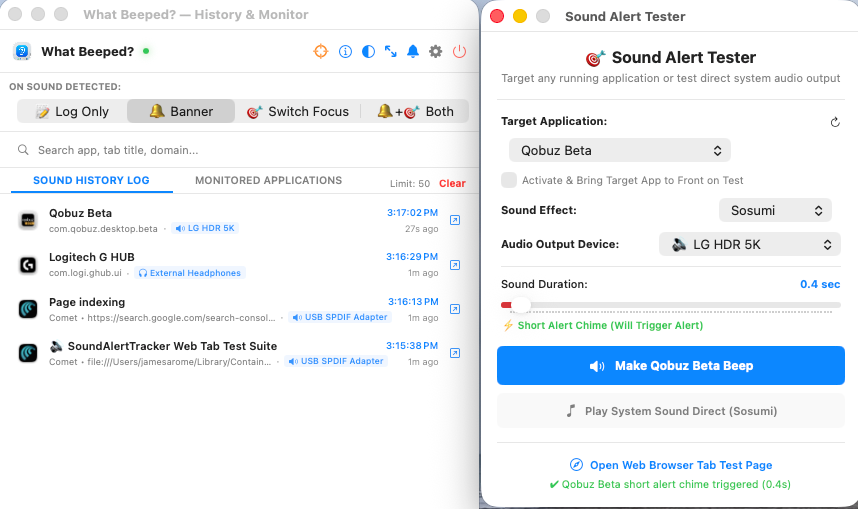
What Beeped? now comes with a built-in tester that will create an alert from any open app.

The free version of the app just displays a pop-up alert in the upper right-hand corner of the screen. It does contain the tester.

The pop-ups display the App name, browser tab, and the audio channel.

I hope you will pay just $4.99 to get the full program unlocked. This purchase is good for 2 activations, and includes all future updates.
Paid What Beeped? features

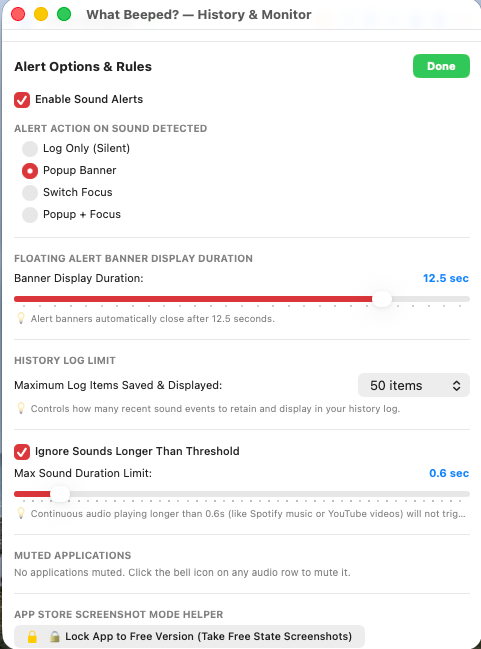
The paid version of What Beeped? logs all the alerts so, for example, you can see what happened overnight. It also allows you to switch focus to any app.

The duration of the banner display can be adjusted, or you can turn it off altogether and just rely upon the logs.

It is important to define what is noise (a beep) and what is music. In the paid version you can ignore any sounds longer than a set amount.

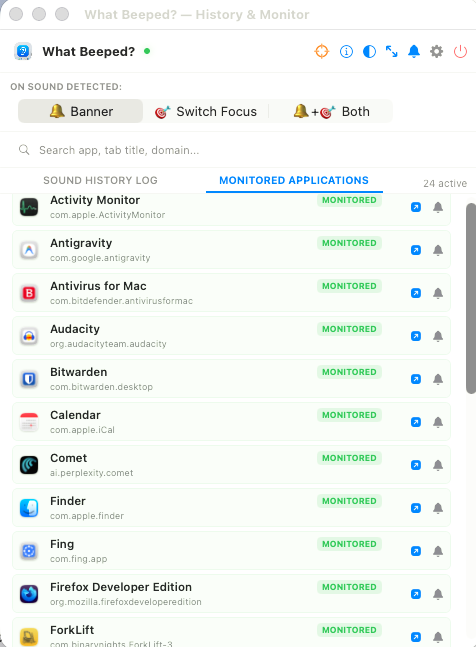
The active apps being monitored by What Beeped? are displayed, and you can ignore them by clicking on the bell icon. This can help you narrow down the source. In the paid version, apps that are streaming are identified.


🚀 Get What Beeped?

🍏

macOS Version Available in the Mac App Store (macOS 13.0+)

In the Apple Store ➔ 

🪟

Windows Version Universal Installer & Standalone (x64 & ARM64)

Download Installer ➔ 

🐧

Linux Packages Native packages for openSUSE (RPM), Ubuntu (DEB), and Tarball

View Releases ➔ 


📜 Version History & Changelog

v1.1.1 October 3, 2026
  • Universal Browser Tab Audio Detection: Generalized acoustic detection across all Chromium and Safari browsers to automatically identify active, audible, and notification tabs worldwide without geographic or market clock dependencies.
  • 1-Click Background Tab Switching: Alert banners in the Free version prompt the In-App Purchase sheet to unlock instant 1-click background tab focusing.
  • Smart Expired Session & Auth Filter: Automatically filters out dead login, logout, and session-expired URLs (such as Schwab timeout screens) so idle authentication pages are never reported as sound sources.
  • Passive Foreground App Protection: Prevents passive foreground desktop utilities (such as Kid3, Finder, Xcode, TextEdit, and Preview) from mistakenly capturing background browser and communication alerts.
  • Continuous-Stream Burst Detection: Dynamic 2.0-second audio stream resets allow discrete periodic chimes to trigger reliably.

v1.1.0 September 28, 2026
  • Dynamic Sliding History Window: Implemented a continuous FIFO sliding window. The log now dynamically retains the most recent sound alerts (selectable: 25, 50, 100, 250, or 500 events) without stopping.
  • Auto-Scroll to Newest Beep: The history log automatically scrolls to the newest sound alert whenever a notification occurs.
  • Thread-Safe Dispatch: UI updates and notifications are dispatched directly on the main thread for smooth performance.
  • Refreshed App Icon: Updated high-resolution icons featuring a bright golden-yellow question mark glyph on the white ear.
  • Enhanced Security: Linux & Windows master key verification upgraded to cryptographic one-way SHA-256 validation.

v1.0.0 August 25, 2026
  • Initial Public Release: Universal audio monitoring engine for macOS (CoreAudio tap), Windows (WASAPI loopback), and Linux (PulseAudio / PipeWire).
  • Browser Tab Detection: Real-time identification of noisy tabs in Chrome, Brave, Edge, Comet, Firefox, Thunderbird, and WebCatalog apps.
  • Floating Popup Banners: Non-intrusive HUD notifications with auto-dismiss duration controls.
  • One-Click Focus Switch: Instantly bring the noisy application or browser tab directly to the front.


Add new comment

Plain text

  • No HTML tags allowed.
  • Lines and paragraphs break automatically.
  • Web page addresses and email addresses turn into links automatically.
CAPTCHA

Enter the characters shown in the image.

This question is for testing whether or not you are a human visitor and to prevent automated spam submissions.